Marketing with Video and Rich Media Blog

Idea2Delivery – A web series about starting a business


“Show me, don’t tell me” – is the guiding philosophy that local businesswoman Wendy Mayhew from Launch it Right employed when she came up with the idea for Idea2Delivery – a web-based video series to help would-be entrepreneurs understand what is involved in starting and running a new business.

Wendy has developed a series that follows two entrepreneurs through the various stages of building a business. The development challenge for this web series is balancing the need to inform (provide useful and practical information) with the need to entertain (getting two guys to have hissy fits and melt downs every show might get tired after a while.)

This video production was shot in Ottawa. It’s been a lot of fun working with Wendy on the series. Budgets are, of course, tight but Wendy’s tenacity, determination and unique personality always seems to win the day.  If we had the funds we could probably shoot a simultaneous second series called “Can they really get away with that?” which looks at what a very small film crew tries to get away with while shooting on a tight budget.

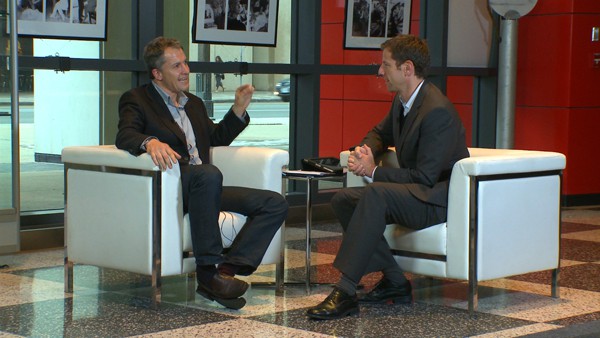
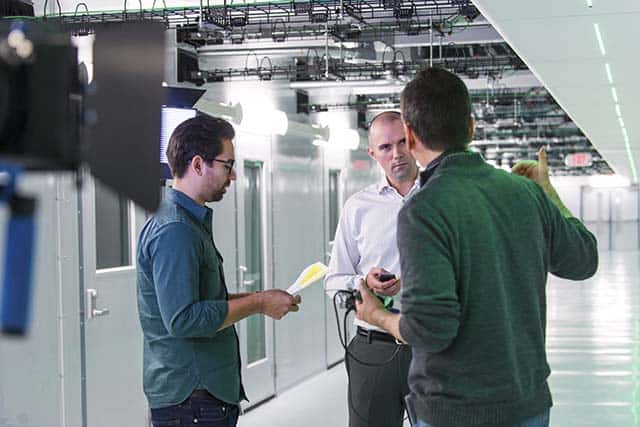
Below are some production shots and the video for the first episode entitled ‘The Dreaded Business Plan.”

.

.

.

.


Is your TV Connected? If not, it will be very soon.

The internet is coming to your TV and it’s going to get ugly… for a while.

I  vividly remember the ‘experts’ confidently defining two distinct media participation modes – ‘lean forward’ (i.e. actively engage in a specific task… on a computer) and lean back’ where you consume passive entertainment (generally on your television). The experts were correct for a couple of years. Then we humans did what we often tend to do – we adapted. Check out your teenager today on a computer watching a video, texting their friends and updating their facebook status, all at the same time. Are they leaning forward or back, and does that distinction even matter? None of the experts even considered the third critical media consumption mode, ‘walk forward’ (mobile). “OK” the experts concede, the ‘lean forward/back’ paradigm really just applied to the television set. You still only lean back in your family room, right? Wrong…

Google has quietly been applying it’s considerable brain power to GoogleTV. Like Apple (and Apple TV) Google is betting that the most important and lucrative screen in the world (your TV) is going to open up into a platform for much more engaging ‘lean forward’ type of activities, and they are looking to put themselves in the middle of your family room.

Everyone is fighting for control. The networks are fighting for their lives to control when you can watch your favorite shows. Apple wants to own the big store that you get all your shows from. The cable companies want to limit what you can and can’t see. Google wants everyone to be happy, free and open as long as every commercial is served through their advertising delivery network. The TV manufacturers all want a piece of the action. The set-top box companies are all scrambling trying to figure out why nothing they have created to date has ever caught on. Microsoft is hoping they can spend their way into your hearts by making x-box the single device that solves all of your integration issues. Netflix wants to provide you access to every bit of media ever created for one low fee. Hulu isn’t really sure what they are doing but the networks that own Hulu are at least trying to stay ahead of the wave and not make the same mistake that the good folks from the music industry made. Exciting times!

What does it all mean? Very, very soon, your TV, if it is not already connected,  is going to be connected to the internet. New micro targeted channels, games, tools, applications,  the long tail of media, new services, cloud-hosted everything and a bunch of stuff we can’t even imagine are all going to be accessible on your TV. It’s the wild west for a number of years until Google or Apple (my guess) or someone else becomes the dominate interface to all content, gaming, applications, and other stuff that you will be leaning forward, backward and sideways to do on your family room ‘TV’.

——–

An example: Sony has partnered with Google and are introducing Google TV on some of their new displays:

…and a timely example of ugly:

Harvard’s Cooking Classes and the Future of Education

Molecular Chef

My daughter (who is in her first year at a Canadian University) texted me a few days ago to tell me that everyone in the lecture she was attending (about 200 students) were on their ‘devices’ because the lecture just wasn’t that captivating – sadly reminding me of much of my time spent at University. Higher education is broken. It’s been broken for a long time.

Universities exist for two reasons – to grant degrees and to do research. That’s been the case for hundreds of years. The teaching piece is just what keeps the wheels greased. Lets assume for the sake of argument that the quality of university professors follows a normal distribution pattern. The vast majority of University professors are average (statistically this has to be true but polls have shown that most of them would place themselves in the top quartile of professors), some are great and some are awful. Right now tens of thousands of average professors are teaching the same stuff to millions of students – some of them in overstuffed lecture halls.

Universities are generating from $250,000 to $500,000 or more for a single generic mega-class course. I’d expect Tony Robins or Bill Clinton to show up for that type of return. The argument is that Universities have to generate revenues at this level to fund their more expensive research activities. Uh huh.  In business this is called ‘bundling’, where you charge for a whack of filler material to justify the high price of the thing that is really in demand. The web is changing this model – just ask the recording industry. Are universities creating real value for this windfall? Could this be done more efficiently?

What if students could virtually ‘attend’ the best lectures from the very best professors from around the world. What if these lectures were supplemented by real world examples and research put together in a compelling manner that allows students to take part in a much more immersive and experiential form of learning. Wouldn’t it be more efficient if Universities specialized is specific disciplines or sub-disciplines and shared (for a fee, of course…) their research and applied knowledge online with other schools – letting the more inefficient factory education systems die a natural death. Thousands of profs all teaching Psych 100 to millions of students each year is not efficient. We need a hand full of really, really good profs creating ground breaking curriculum that can be shared with everyone (for a fee, of course…).

The institutions will do everything in their power to stop this from happening. They have a vested interest in keeping things the same way they’ve been since the 1700′s. Which brings me to cooking classes at Harvard…

Harvard introduced a new class this year in their general education stream called “Science and Cooking: From Haute Cuisine to the Science of Soft Matter”. The course was developed by the Harvard School of Engineering as an applied science course featuring top chef’s like Spain’s Ferran Adria. Adria applies his molecular cooking techniques to a variety of complex scientific subjects from basic chemistry to materials science to applied physics.

Harvard has also expanded this course material into a very popular public lecture series featuring combined presentations by top chefs and top scientists. This public series is a huge hit and Harvard is going to be making these public lectures available for free. Brilliant. My guess is that this freely available video series is just the beginning. Once this genie is out of the bottle it will be very hard to put back in.

I acknowledge that as a world class university, Harvard has a definite competitive advantage but it’s this type of thinking – be inventive, bring the best people in the world together and make information widely available – that will keep Harvard at the forefront of education.

Is change possible? Visit TED to get a glimpse of what world class (free, by the way…) lectures look like. Who knows, perhaps YouTube and Facebook might just be the levers that force our educational institutions to reconsider their future.

How web video powers global innovation

video powers global innovation

“I’m convinced that the latest iteration of crowd-accelerated innovation, fueled by Web video, is about to ignite the biggest learning cycle in human history.”

Big statement… with even bigger consequences. Imagine the impact on productivity if it’s correct.  Chris Anderson, founder of Future Publishing and curator of the TED Conference  says the rise of web video is driving a worldwide phenomenon he calls Crowd Accelerated Innovation — a self-fueling cycle of learning that could be ‘as significant as the invention of print.’

True to the vision of TED (“Riveting talks by remarkable people, free to the world”) Anderson suggests that video sharing sites like YouTube are driving innovation in thousands of disciplines ranging from the ultra-niche to the sharing of truly world-changing ideas.

Today individuals are driving this radical innovation. Organizations on the other hand, still  have to contend with inertia and institutionalized bad habits. They also need to embrace radical openness in order to tap into the power of this growing phenomenon. That’s a big challenge.

The video is thought provoking and certainly worth a look:

http://www.cnn.com/2010/OPINION/09/18/anderson.youtube.innovation/

7 Habits of Highly Effective Video Marketing


7 Habits of Highly Effective Video Marketing

Video is now on every marketer’s to do list. Why? Because web video and rich media engages, persuades and motivates like no other marketing tool. In deference to Mr. Covey I present seven ideas that if done well will help make your next video successful:

1. Tell a good story.
Sure it sounds simple, even trite, but good storytelling is just as important to video marketing and advertising as it is to film making. Stories have a beginning, a middle and an end. They make us think. They make us feel. If told well, they inspire us.

At the heart of any good story is an emotional appeal – it may be subtle or it may be dramatic, but without that emotional connection, the story is quickly forgotten.

A good story has some or all of the following attributes:
Good stories don’t appeal to everyone
– your story should be targeted to the people that you are most interested in communicating with. (These are also the people most likely to socialize your story) - if you try to appeal to everyone, you might end up appealing to no one. (B2N)
Good stories resonate
– they are familiar and strike a chord with the audience because they can relate to the story being told. Have you tested your video idea with selected members of  your target  audience before you start production? If not, why not?
Good stories are credible – the story teller, the content and the outcome of the story have to work together and all have to be believable, trusted – your audience can see through the lies (the hype and the exaggeration).
Good stories are usually simple – they can be grand tales or ripping yarns but in the end the best stories have a simple outcome and a simple message. Keep the razzle to a minimum and forget the dazzle.

The goal should always be to create engaging presentations that tell a good story. What’s your story?

2. Show them, don’t tell them.
A video of someone using your product and extolling it’s virtues is far more powerful (and credible) than animated text or a series of photos.  Educators and trainers have long known that the true benefit of video is that it generates much higher retention rates because it engages more than one of the senses at the same time. Retention rates can triple when what you hear is being reinforced by what you see. That doesn’t mean a talking head is necessarily more engaging than an audio podcast or a brochure ‐ you still have to present compelling content that engages your audience.
The ability to show your customers how your product works, how it solves their problems and how it is used by others is where video marketing is unsurpassed as a vehicle to engage and persuade your audience. A page by page walk-through of your software interface may be helpful – but it doesn’t demonstrate to prospects the benefits of your product or how it fits into their processes or business cycles. It’s not about you or your product or service – it’s about how your product or service can help solve your customers problem. Show your customers exactly how your product or service  solves their problem! (this is especially important in the early stages of the buying cycle.)
Video, animation and interactive flash programming can build compelling visual examples of exactly how your products work and why they solve your customers’ problems.
• Testimonials are more compelling when you see and hear a customer talk about their experience with your product.
• Case studies are more engaging when you can actually see how a customer integrates your product in to their process and how your product measurably improves your customer’s bottom line.
• Product demos are far more powerful when you illustrate (i.e. using video or  information graphics ) exactly how your patented process works and benefits your customers.
The power of video and rich media is in its ability to demonstrate the tangible benefits that a product or service can offer.

3. Choose your words very carefully.
There are many important components that go into creating an effective video: Using the right equipment, the proper location, 0n-screen presenters, motion graphics, and music are all critical components to the creation of engaging communications tools. None of these however, are more important than the script (either a formal script or at least speaking points that summarize what should be mentioned in the video.)

Some things to consider when developing a script or on-screen talking points outline:
•Do you understand the key issues affecting your industry?
•What are the top three messages that you have to communicate?
• Are you clearly outlining the benefits that will best resonate with your target audience?
•Are you speaking your customer’s language?

The script is the ‘what’ in the video development process. Everything else is the ‘how’. Far too many corporate videos simply focus on the ‘how’. It is critical that the video development company you engage has expertise in marketing writing and positioning. Style won’t count for much if your message doesn’t resonate with your audience. Deciding on the right thing to say is always more important than how that information is ultimately presented.

Unscripted doesn’t mean unstructured.‘ Spontaneous’,  unscripted videos are becoming more commonplace on the internet as this type of presentation provides a natural tone and authenticity that resonates well with viewers. This doesn’t mean a lot of effort and planning doesn’t go into what questions are asked, how people on-camera respond and how the final product is edited. Even if a formal script is not developed, the business objective, structure and desired outcome of the video should all be considered and coordinated during the pre‐ and post‐production stages. You should never start a video project without knowing EXACTLY what you want the video to communicate.

4. Build‐in Interaction (and ultimately, conversion).
The more interaction you can build into the experience the more engaged the viewer is with your brand. Interest, engagement and interaction should be the goals of web-based video . “Click here to…” is a good start. What do you want the viewer to do when they have finished watching your web video? How deep do you want to take your viewer in
an interactive presentation? Here is a short list of options to include when building your online presentations:
•Click here to find out more about this service
• Click here to read a white paper on this topic
• Click here to watch a related presentation
• Fill out a quick survey to discover if you are qualified for this promotion
• Take a quick poll to see how you stack up in the market
• Click here to have a technical expert answer your questions
• Please help us improve our communications by rating this presentation
• Sign up now for our weekly industry update
Conversion is the goal. Whatever your conversion mechanism is you want your customers and prospects to take the next step.

5. Chose the right format, structure  and style of video.
Abraham Maslow’s quote, ‘If the only tool you have is a hammer – every problem looks like a nail’ applies well to video marketing. The number of web marketing service providers is growing. Many of these specialize in one specific format: ”business animation and information graphics” or ”only photo–based flash presentations.” Some proclaim that their presentation time limit (2 minutes, 3 minutes, 4 minutes, etc.) is “the right one for the web” or that “their platform is the only way to be truly effective”. Of course none of them are necessarily right… or wrong. Every business problem is unique and there is a multitude of rich media tools and methods to solve your important communications problems. Consider alternative approaches and formats before committing.

The term ‘corporate video’ made sense ten years ago when most corporate videos were the same. Today there are  many different ways (here are 42 examples) you can use video to promote your brand.

6. Consider the only perspective that matters: Your Customer’s.
It’s not about you or your product. There are lots of  companies just like yours and frankly, it’s getting tougher to tell them apart. Posting canned videos of your executives or beauty shots of your facilities to your website won’t move the dial. And unless you are Apple or Victoria’s Secret no one is really that interested in your product. They are only interested in the comfort, status, utility or pleasure that your product conveys. These are the things that you need to be promoting. Like any purpose-built marketing material, your web video  should be developed with a single goal in mind: How do I communicate my companies understanding of, and solutions to, my customers’ problems.

7. Define business objectives (and outcomes) first.
As the use of web‐based video grows in popularity it’s important to remember that video marketing is a means to end, not an end in itself. There are far too many marketing articles that discuss how to get video up on your website without ever mentioning why.
Indeed, a well produced video is one of the most persuasive marketing tools available and building interactive presentations is a great way to engage your audience. But putting an unprepared executive in front of a camera, re-purposing old corporate presentations or having some guys from the mail-room put together a ‘viral’ video won’t bear fruit. Worse yet, bad video is even harder to ignore than bad print material.
Consider the following when planning to implement video on your website:
• At what stage of the buying cycle are you targeting your prospects? I.e. Product presentations (that highlight benefits – the customer’s perspective) are more appropriate during the consideration phase. Product demos (that highlight features – your perspective) are more helpful during the comparison phase.
• Who is your audience? If your answer is “…well, everyone really” you’re probably wasting your money. The vast majority of YouTube viewers are not your audience. There is a considerable difference between ‘views’ and ‘targeted views.’ Creating one broadly focused web video might add value but you should also consider breaking your web video into discreet pieces that speak to specific audiences. Successful marketing always starts with targeting.
• What are the measurable business outcomes? How do you measure success? You should be able to quantify the business value by measuring click‐thru’s, registrations, time spent watching the presentation or some other objective business metric.

Ottawa Fire Fighting Video – what a blast.

Our heroes shouldn’t be athletes and actors, our heroes should be firefighters (and police officers.)

I was fortunate to be asked to produce a video for a group of people who have one of the coolest, most dangerous and most important jobs in the world. Great bunch of guys and gals to work with. Here are a few screen captures from the project.

7 things you won’t hear from your video production company (even if you should).

All video production is the same right?

Video production is growing in it’s importance as part of the overall corporate marketing mix. With that growth comes specialization, complexity and a host of issues that many video production customers may or may not be aware of.

Here are 7 things that you wouldn’t want to hear from your video production company:

1. “We don’t have general liability or errors and omissions insurance.”
What could possibly go wrong? One of the crew drives over a customer, they forget to get a permission form signed, they use licensed material that you don’t have a license for, a light falls on someone… etc. Chances are things won’t go wrong, but if they do you had better be working with a company that is well insured. Standard insurance coverage for a video production company is $2,000,000 for errors and omissions and general liability.

2. “We do a bit of everything – websites, PR, SEO, graphic design, print, advertising… and video.”
The market will always support a range of generalists and specialists that service the same business audience. That said, a good rule of thumb is that if the number of services offered by a company is greater than the number of employees you might want to consider getting a second quote.

3. “We don’t really understand the web, or social media, or marketing .”
The vast majority of corporate video today is being delivered either exclusively or predominantly on the web. Creating video for the web is not the same as creating video for broadcast, or for entertainment, or for presentation at an event. Viewing behaviors are very different online. You also have to consider delivery platforms, hosting options,  interactivity,  conversion techniques, social media aspects of your video and many other factors that are unique to the web.

4. “We just do corporate video to pay the bills, we’d much rather be doing television.”
Very few people go into video because they want to help businesses sell more products or services (marketing and sales stuff). Film or television is usually the goal, doing corporate work is just what pays the bills. While there are a number of great companies that do both very well, unless your video production company is working under the direction of an ad agency or marketing firm, or they specialize in marketing video you shouldn’t be surprised if your video is wonderfully irrelevant.

5. “We didn’t really focus on business results per se, but we think this video might win an award.”
Creative work is wonderful if it serves a business objective. If it doesn’t you’ve wasted your money. Very few industry awards consider business results in their selection criteria – which is unfortunate because business results are the only thing that matter.

6. “There will  be many different people working on your video project.”
You met the president of the company and his senior team. Are they all going to be working on your project? Every services organization operates with some form of distributed work model. It’s up to you as a client to ensure you get the best people working directly on your video project. If you’re not sure, ask.

7. “We’ve been using the same equipment for the last five years.
Considering that video technology (hardware, software, delivery systems) is changing literally every month it’s hard to imagine any company not taking advantage of so many cost saving and output quality advances in video production.

How to make a great viral video.

Making a great viral video is easy… just be inventive, shocking, funny, fascinating, captivating and awesome… all at the same time. (It’s actually really, really difficult to create a successful viral video.)

I’m not the biggest  fan of the music but the video is incredible. Obviously a great deal of time and effort went into the making of this music video for OK Go’s new song ‘This too shall pass”. Captured in a single four minute shot I can’t imagine many people leaving the video part way through. CNN published a good background piece on the making of this video.

Sure, this type of video has been done before, it’s still a great video. Don’t know if they’ll catch up to the 50,000,000 views that their last video received but, way to go OK Go.

What does a corporate web video cost? 25 Factors (with prices) that affect corporate video production costs.

What does a web video cost?

Corporate Video production can cost as much or as little or as your budget allows.

You can borrow a flip camera, shoot some video and upload it to YouTube – all for free. Or you could hire James Cameron to write, produce and direct your video where you’d be looking at a budget just shy of  half a billion dollars when you include marketing costs and Hollywood accounting. Both options would result in a finished video but you’d probably need special glasses to watch the the more expensive option.

The good news for businesses looking to engage a corporate video production company is that many of the factors that affect the price of a video have been going down over the last few years. Some dramatically. Assuming you find a company that does great work (this is a critical first step by the way – if the company doesn’t do great work it’s not worth paying anything for) the first question to be answered is  ‘how much does a video cost?’ There is no simple answer to that question but here are 25 factors (ranked in order of importance to the overall quality of the video) that affect the price of a web video:

  1. Corporate Video Production Experience. Doctors, mechanics, lawyers, videographers… whatever profession you care to mention, experience matters more than any other factor and, all things being equal, you do tend to get what you pay for. There are many, many moving parts in the creation of a video but at the end of the day you are paying for the expertise and experience of the key people responsible for your video. 
    Costs:
    You can pay $25/hour for a recent film school graduate or $250/hour for a top flight video veteran. On average most production companies will charge between $50/hour and $150/hour for the people involved in key activities such as shooting and directing.
  2. Concept / Script / Storyboard –  Doing video for the sake of video is a waste of money (although it’s great for the video production industry!) What measurable business objective are you trying to achieve?  How is this video specifically going to achieve that objective? And of greatest importance, do the people creating your video have the experience or guidance to create a video that will help move your business forward? Lighting, sound, framing and editing are all important but they don’t matter in the least if what you are creating has no value to your intended audience. Like companies that spend $10,000 on website development and little or no money on content for the site, many companies waste a lot of money on nicely shot but otherwise meaningless video.
    Costs: Expect to spend between $60/hour and $125/hour for an experienced marketer (does it make sense to have an entertainment script writer or video production assistant develop your marketing script?) to develop a concept, script and storyboard that serves as the blueprint for you video.
  3. Editing. The editing process is highly nuanced. Editing is where you create the style and substance of the video – you sequence all of the available assets into a cohesive story that communicates your key messages in a clear and engaging manner. Editors arguably should be the most highly paid (and skilled) in the entire process (quite often they are not.)
    Costs:
    Editing costs run between $40/hour and $125/hour.
  4. Actors/Presenters. Do you need to hire professional presenters, actors or models to improve the quality of your presentation? Not everyone is good on camera. You may need to make difficult decisions about who should represent your company. In a broadcast commercial quite often it is not someone in your company. Even in a corporate video you may decide that hiring outside talent is the best decision.
    Costs:
    Presenters, models and actors can range anywhere from $50/hour to $500/hour or more depending on experience, demand and union costs.
  5. Camera. The quality and flexibility of the camera you shoot with can make a huge difference in the finished quality and editing options for your video. Are you shooting on a $ 500 DV camera, a $2,500 DSLR, a $10,000 Full feature HD camera, a $25,000 RED, a $60,000 ARRI or are you shooting on Film? The pace of technology advancement in film and video is breathtaking and the features and capabilities of cameras are changing weekly.  Bottom Line: You should be able to see the difference in the final output quality in more expensive cameras. If you can’t, then it’s not worth paying for.
    Costs:
    You will spend between $25/hour and $250/hour or more depending on which digital camera is used. Film cameras, lenses and stock will take you well over $1,000 /hour.
  6. Equipment. The more experienced video production companies tend to have a wide variety of tools and equipment on hand for each shoot. Do you need a track dolly or a jib-arm to create a shot with movement? Do you have a high quality field monitor to know exactly what you are getting (or not getting) as you shoot? Do you have all the necessary audio equipment (lav’s, direction mics, booms etc) to capture the audio you need?  Lighting and framing are everything in video. Do you have lights – lots of different lights to accommodate a wide variety of shooting scenarios? Do you have a variety of lenses to create the specific feel you are after – wide angle, fixed focal length or Cine lenses for narrow depth of field, etc?
    Costs. Equipment cost can run anywhere from $25/hour to $100′s/hour or more depending on what specific equipment is required.
  7. Crew. If you’ve ever watched a movie or television show being filmed you might wonder why you need so many people standing around idle on a set. Most business web video productions don’t require more than two people (and sometimes one is enough) but depending on the complexity of the shoot you may require a crew of three or more. If you are conducting man on the street interviews as an example, you need a cameraman, a sound man and a directer or interviewer. Concept videos like commercials will often require more people to help with the logistics of the shoot.
    Costs: Expect to pay between $ 25 and $75/hour/person for experienced crew.
  8. B-Roll / Cut-away shots. Most videos benefit from the addition of footage that supplements what is being said on screen. If you are interviewing a business owner who is talking about their new equipment you should cut away to shots of the equipment as they speak. Showing the viewer what is being described in the video is more informative (show me , don’t tell me) and also helps to keep the attention of the impatient viewer.
    Costs: The length of time and equipment used to capture the b-roll will increase production costs. You can add anywhere from 10% to 50% of the total shooting costs if you need to supplement interview footage with b-roll.
  9. Locations and production time. Where are you shooting? How long will each scene/interview/shot take?Are you shooting in one location or many? What are the specific requirements and constraints of each location? Are you indoor or outside? If you are shooting outside is weather a factor? If so what happens if it rains? How much set-up time is required? Are the locations close together? The most important factor is the total amount of time required for production. There are few economies of scale for time – but with good planning you can do a lot within a specific period of time.
    Costs: This cost is arithmetic. Two days of shooting is twice as expensive as one day. {If shooting extends for many days or is regularly scheduled then most companies offer a discount}
  10. Studio shooting. Do you require the use of a sound stage or studio? Do you need a controlled environment to shoot in? Are you shooting green screen and keying out the background in edit? The use of a studio has to be factored into the overall cost of the production one way or another. Larger companies may include studio time in their shooting costs and other companies include it as a line item as studio rental time.
    Costs: Factor in between $100/hour and $ 400/hour depending on the size of the studio. (If you need a studio you will be charged for it – one way or the other)
  11. Set, props, equipment, extras. Aside from video production equipment are there other special props or pieces of equipment that need to be included as part of the costs? Do you need to rent a van, rent furniture, hire extras, hire a plane or helicopter for an aerial shot or bring in special equipment for the shoot? These all have to be factored in to the cost of the shoot.
    Costs: Depends on what is required.
  12. Stock footage Do you require supplemental footage or images to support the video? There are many websites that sell high quality still and video footage. Some videos are comprised completely of stock footage, text and voice-over.
    Costs: Stock images can be as cheap as $3 and great quality HD stock footage can cost as little as $50, but for high quality images you will pay considerably more.
  13. Narration Do you need a voice-over to tell your story or to tie the video together. Video is a powerful medium but it is even more powerful if you take full advantage of audio to support what is being shown on screen.
    Costs: Voice-over costs have dropped dramatically over the last five years. Many voice artists work from home and can produce great work for almost any budget. $100 – $400 for a 2 minute video is reasonable depending on the experience and demand for the specific voice artist.
  14. Audio files. Do you require a music bed, special sound effects or other audio to supplement your video?
    Costs: Good quality music for video starts as low as $30 for a two or three minute track. Custom audio can cost $1,000 or more depending on the experience of the musician and what is required.
  15. Teleprompter. A teleprompter can save a shoot. Even the most experienced speaker can be intimidated by lights and camera. It’s true that you can usually tell when someone is reading a teleprompter but that may still be preferable to the agony of a shoot spiraling out of control because the CEO can’t remember his lines.
    Costs: Teleprompter and teleprompter operator usually cost between $350 and $600 for a half day.
  16. Geographic Location. New York is more expensive to shoot in than Central Lake, Michigan because the cost of living is higher in New York. Half day rates don’t exist in some large cities today.
    Costs: Expect to pay between 25% and %50 more if you are shooting in a large city.
  17. Digitizing, transfers, rendering and uploading. Video takes on many forms during the production process. If you shot on film you have to transfer it to a format that works in your editing system. After you edit it, you have to render it to a presentation format (for web, for broadcast, etc.) and depending on where it’s going you may have to upload it somewhere (your web server / YouTube / The Academy Awards, etc). All this takes computer and human time and you generally have to pay for both.
    Costs: Sometimes these costs are buried, sometimes they are line items. Tape transfers are still very expensive ($100′s of dollars).  Rendering and uploading time are usually buried in the costs but can also be charged out at an hourly rate ($30 – $75 per hour).
  18. Length of the Video. The longer the video the more it is likely to cost. Web videos tend to be around a couple of minutes although this varies considerably depending on the type and purpose of your video. Filming an articulate talking head (limited editing) for 10 minutes is much cheaper than creating a 30 second commercial. So…
    Costs: All things being equal (they never are) consider longer to be more expensive, but it’s not arithmetic. An extra minute of video might only cost you %10 more if you have planned the extra requirements into the overall workflow.
  19. Licensing/Union Fees. Are you using any media assets or talent that could be subject to ongoing licensing, usage or union fees? The web continues to drive all costs down including licensing fees – but they still exist. The best talent is usually a member of  SAG, ACTRA or some other union.
    Costs: Varies depending on the project and talent.
  20. Direct or Third party. Are you dealing directly with the video production company or are you going through an agency or other middleman?
    Costs: You should expect that you are paying at least a %30 mark-up if you are going through a third party.
  21. Interactivity. Are you creating linear video or are you building in interactivity? Is there a direct call-to-action that you want to get the viewer to follow? Do you require flash programming do build the video into a special player that will sit on a specific landing page? The future of video is interactive video.
    Costs: Expect to pay between %10 and %30 more to develop interactivity and flash support elements into your video. Back-end, database work will cost even more.
  22. Hosting. Your video is going to live on the web. Where is it being hosted? You might end up hosting it on different servers (your own, YouTube, a business portal, etc.) depending on your business needs.
    Costs: Hosting is either free or relatively inexpensive ($ 5 – $10 / month/video depending on bandwidth usage.)
  23. Formats. How many different formats does your video have to be rendered in? Where is it going to be seen? Do you need a short version (editing down) and a long version? Does it sit in a multiplayer or is it in three different players? Should you break it up into pieces to make the length of it a little less evident and also to allow the user a bit more control?
    Costs: Adapting multiple formats for a video could add %5 to %10 percent to the cost of the job depending on how much editing is required.
  24. Language and translation. Do you need close captions? Do you need language versioning? Do you need onscreen text to change per language? Do you need to dub in different narration for different markets?
    Costs: Language versioning can add %10 to %20 to the overall cost of the job. (Editing and proofing of different languages is usually much more time intensive than one language alone.)
  25. Miscellaneous fees. Ya, everyone hates lawyers ‘disbursement fees’. Video production has the equivalent in ‘Miscellaneous fees’: Travel costs, meals, mileage, hotels, transportation, out-of-pocket… it all adds up.
    Costs: Usually in the $100′s and sometimes in the $1,000′s of dollars on larger shoots.

Bottom Line?

Taking all of the above into consideration there are reasonable ballpark figures that you can use as a guidepost for budget purposes. A two to three minute web-based corporate video presentation might cost between $2500 and $7500 depending on the variables mentioned above. If you use the time honored “$1,000 a minute” for a professionally produced online corporate video as a starting point, that will give you a reasonable idea of where to begin in the budgeting process.

Budgeting Tip # 1: A reference video is a great place to start.

The best way to get a quick estimate is to have a reference video to compare to. (I.e. “How much would something like ‘this’ cost.”)

Budgeting Tip # 2: Share your budget

Every business has a budget and yet many are reluctant to share them.  I’ve been on both sides (client and agency side) and I always had better results when I said ‘Here’s my budget, here are my business objectives,  what can you do for me?” If you don’t declare a budget then the production company will have to guess at a budget. (I recently lost a job because the budget I guessed at was too high – even though the client really liked the concept that I had proposed. Does the company that guesses closest to your undeclared budget win?}

Budgeting Tip # 3: Be open minded.
Many businesses begin the video development process with; 1. A specific video type in mind, 2. A prepared script and/or 3. Specific creative approach in mind.  That said, it’s still a good idea to listen to alternative approaches.

Did I miss something?

Set, props, equipment, extras. Aside from video production equipment are there other special props or pieces of equipment that need to be included as part of the costs. Do you need to rent a van, rent furniture, hire extras, hire a plane or helicopter for an aerial shot or bring in special equipment for the shoot. These all have to be factored in to the cost of the shoot.
Costs: Depends on what is required.

Video in email just got easy.

The “show me, don’t tell me” world of video is moving to email.

While many companies are already offering video email ‘platforms’ and Apple is promising video in email support for the new iPad, Google is the first company to make it simple (elegant will come some time in the future) and free. If you are a gmail user, when you place a YouTube link (the url, not the embed code) in your email,  gmail plays the video directly in the email (under the message). It’s not perfect and it only applies to gmail/YouTube users at this point but it’s a start and like Google’s constant upgrading of YouTube, you know this service will just get better over time.

Some of the reasons marketers and businesses should find this exciting:

1. It’s really easy to do (if you use gmail and YouTube).
2. You don’t have to worry about file compatibility, spam filters and technical issues around displaying video in your email.
3. Viewing rates will increase as more people are inclined to click on a video if they don’t have to go to a new page to view it.
4. New built-in interactivity in YouTube will allow you to do even more with videos contained in an email.
5. Email is still the principle web-based business communication tool. This is just another way to get your message out rather than relying on people coming to your website.

And the main reason some businesses won’t like this new capability – even more crap in your inbox.